Meeting 11/10/25: Photo Review is “Tell a Story With Street Photography”. Four favorites – possibly from a recent Event we covered, for those who participated. Send them BEFORE Monday to set them up for viewing.
Info for a short demo on Camera Profile for color calibration
Topic:
Getting colors right with ColorChecker camera profile
One of the greatest challenges when capturing images in Camera RAW format is getting the color right in post processing.
Our cameras and the software are pretty good at getting this right, even providing a camera-specific setting and a selection of approximate color temperatures. But for true-to-life color that matches what we see, there’s nothing better than getting a calibrated profile from your own camera!
I’ll walk through a quick demo to show how to create a custom profile from a single image of the ColorChecker target, then how to apply it to your images taken with the same camera. You’ll be gobsmacked at the difference it makes.
A few volunteers have sent in their calibration photo and a sample color image, which I’ll use to create their camera profiles. We’ll see the difference it makes in Adobe Lightroom when the profile is compared to the default options in Lightroom!
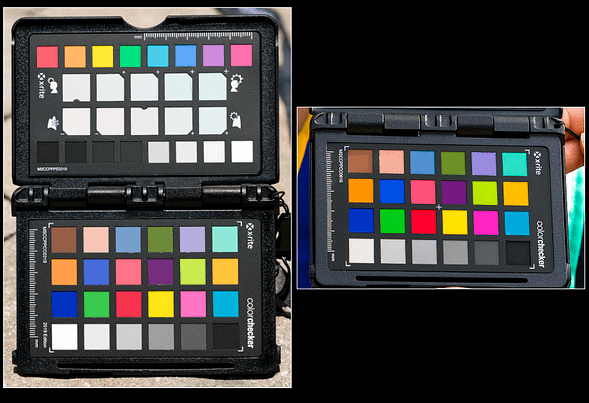
If anyone wants to get a profile, just BRING YOUR CAMERA to the meeting and take a photo of the targets. I’ll share a Google Drive folder where you can send the RAW file, and I can create the file you can import to Lightroom for your calibrated profile. See below for sample images.
Here is a great YouTube video from the maker of the ColorChecker Passport if you’d like a head start on the process.